
Applications · Plan Review · Permit Follow-Up

Building Permit Coordination in Hillsborough County, Florida

Preparing an addition, renovating a commercial space or working through permit comments? We help owners, contractors and project teams identify the responsible department, organize the submission and track the next steps for a Hillsborough County project.

Independent permit coordination across Florida. Assistance in English and Spanish.

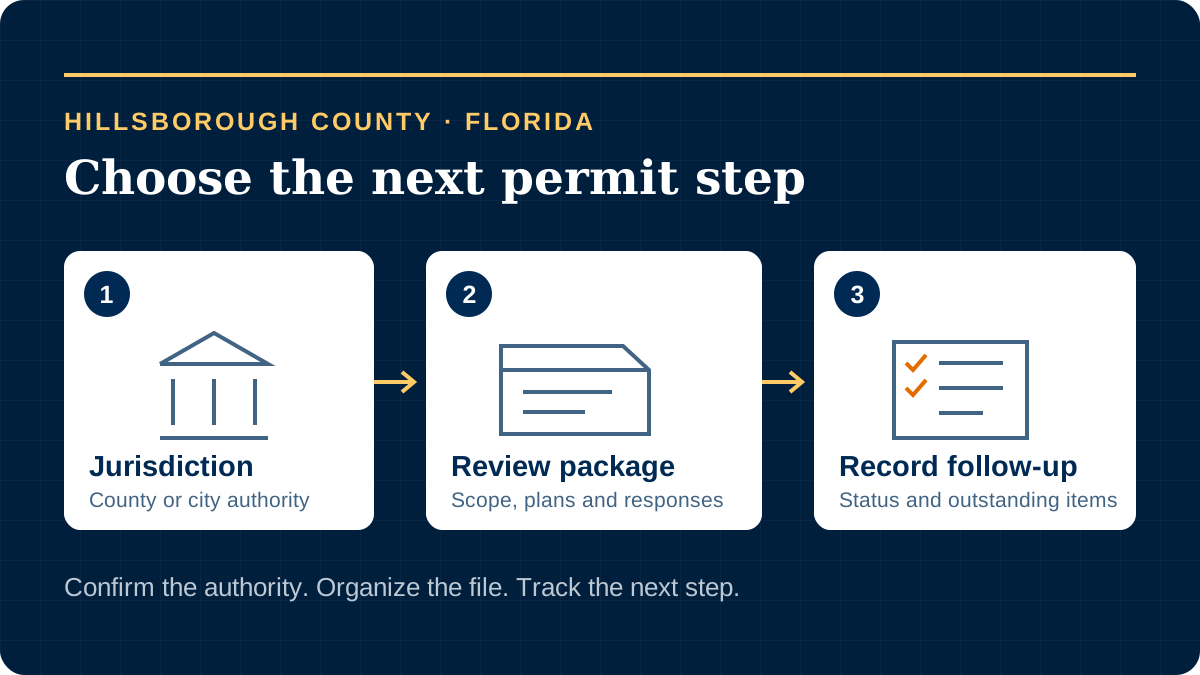
Hillsborough County permit coordination: confirm jurisdiction, prepare the review package and track the record

Confirm the Department Before Opening an Application

A Tampa Mailing Address Does Not Choose Your Permit Office

Start with the actual parcel and municipal boundary. County-handled work and projects inside the City of Tampa use separate permitting routes; do not choose a portal from the postal city name alone.

Unincorporated Hillsborough

The county’s records guide addresses properties in unincorporated Hillsborough and starts with the complete address and folio number. For county-handled applications, HillsGovHub is the main starting point for permitting, status checks and help.

City of Tampa

Tampa’s Construction Services Division reviews plans, issues building permits and performs inspections for development in the city. Its website links the city’s Accela system and plan-review resources. A county portal account does not identify the right city record.

Another Municipal Address

Have us verify the building department for the individual property before submitting. We keep the address, jurisdiction and any existing permit number together, so documents and follow-up go to the authority handling that project.

Match the Application to the Work

An Addition, an Alteration and a Trade Permit Are Different Starting Points

Hillsborough links a Permit Types by Project tool from HillsGovHub. Use the residential or commercial selection and the actual scope to identify the application category, then check its current submittal instructions.

Residential Projects

The county tool routes a home addition to Residential New Construction and Additions, while it lists renovations and individual trade projects separately. For that addition category, it identifies a digital site plan and signed and sealed engineering plans.

Tell us what space is being added or changed, which building systems are affected and what drawings are available. We help organize the applicable package through our residential permit service, using the county’s residential checklist directory as a starting resource.

Commercial Renovations

The tool identifies Commercial Building Alterations for renovations to existing commercial structures and asks applicants to distinguish interior, exterior, or both. It identifies site and signed and sealed engineering plans for that category.

Describe the current and proposed use, the work area and any related site changes. Our commercial permit service helps coordinate the scope and responsible parties with the commercial checklist directory and the individual record’s requirements.

These examples do not replace a project-specific checklist. We coordinate the application and follow-up; design, engineering, surveying and other regulated work remain with qualified professionals. The department determines the required documents and reviews.

Identify Related Approvals Early

Does the Project Also Need Site or Land-Development Review?

For new development, the county’s Site and Subdivision Intake Review process is a separate coordination task. It can involve zoning, fire, stormwater, transportation, utilities and other reviewers, depending on the project. The county recommends a pre-submittal conference to discuss the scope and applicable requirements.

Approval by the reviewing agencies also leads to an issuance checklist. Items marked for that project must be resolved before the approval letter; possible items include final signed and sealed plans and related fees. We help track the checklist, responsible party and outstanding response rather than treating a favorable review comment as the end of the process.

For an existing-space renovation, tell us about changes outside the building as well as inside it. We identify the site-review question with the department instead of assuming that every alteration needs the same land-development application.

Keep Review Responses and Later Design Changes Separate

Correcting a Review Package Is Different From Revising an Issued Permit

During Plan Review

The county’s Digital Plan Room help separates responding to issues and conditions, uploading corrected documents, finalizing the review package and downloading approved plans.

We organize each outstanding comment with the response owner and supporting file. After files are uploaded, confirm that the required review-package steps are complete and retain the submission confirmation. A file appearing in an upload list should not be your only evidence that a response reached the next review stage.

After Permit Issuance

The county’s Update Building Applications guide (PDF) describes a Building Revision for scope, design or intent changes to an active, issued commercial or residential permit. Completed, closed, expired, canceled and withdrawn parent records are excluded from that route.

For this revision process, the guide directs applicants to upload the revised sheets rather than the full original plan set, complete processing and finish the package. Confirm the parent record’s status before selecting a remedy. An expired permit needs its own department review.

Bring the latest comments, current plan version and permit number to our permit follow-up service. We coordinate responses with your team and track progress; technical responses and design changes must come from the responsible professionals.

Finding a Record and Acting on It Are Separate Tasks

Check Status, Arrange Access and Research Missing History

Current Status and Account Access

HillsGovHub offers a permit-status check without a login. Actions on a record may require an account and the appropriate association or authorization. The county’s Development Services FAQs explain adding a delegate through HillsGovHub and require login to schedule inspections through the permit record.

If you can see a permit but cannot perform the needed action, resolve the account or record-access question before creating another application. We help identify the appropriate contact and coordination route.

Older Permits and Closing Documents

The county’s legacy permit search directs all activity after January 19, 2021 to HillsGovHub. Keep the older permit number, exact address and folio number available when tracing a historical file.

The records guide distinguishes building, zoning, site/subdivision and code-compliance records. Ask for the record type you need: site plans are not building plans, and a permit listing is not a certificate of occupancy. Our permit research service helps assemble the available history and identify missing evidence.

Keep the Next Construction Milestone Visible

Follow Inspections Through to the Required Closing Evidence

For county-handled records, schedule the applicable inspections through the permit in HillsGovHub and confirm the results afterward. The county FAQs state that requests for a morning or afternoon visit depend on the inspector’s workload and route; they are not guaranteed appointment times.

Before treating the file as complete, review outstanding inspections, documents, fees and the applicable certificate with the department. The county identifies impact-fee payment before a certificate of occupancy or permanent-power release, with earlier payment possible for some additions. Confirm the assessed items and timing on your project instead of relying on a generic fee estimate.

We help track those open tasks and request available closing documents. Permit issuance, a passed inspection and authorization to occupy are different milestones; the responsible authority confirms when the required approvals have been achieved.
Make the First Conversation Useful

What to Bring to Your Hillsborough County Permit Consultation

For a New Submission

  • Project location and available folio information
  • Existing use, proposed work and current stage
  • Available drawings and project-team contacts
  • Known questions about jurisdiction or related site work

For an Existing Permit

  • County or city authority and record number
  • Latest comments, status and inspection results
  • Documents submitted and responses still outstanding
  • The milestone you need to reach next

This is our intake list, not a government checklist. Start with a short project summary through our contact form; keep sensitive personal and financial information out of the initial message.

Explore our permit services, the Florida building permit process and información en español. We support projects across Florida and research the route for the individual address.

Move Your Hillsborough County Permit Forward

Tell us the project location, proposed work and current stage. We will review the available information and define the coordination steps needed next.

Building Permits Florida is an independent company. The responsible authority determines permit requirements, approvals and agency timing.